What Just Changed — and Why Marketers Should Care
Two things happened this week that, taken together, represent the most significant shift in how marketers can use Claude since the tool launched.
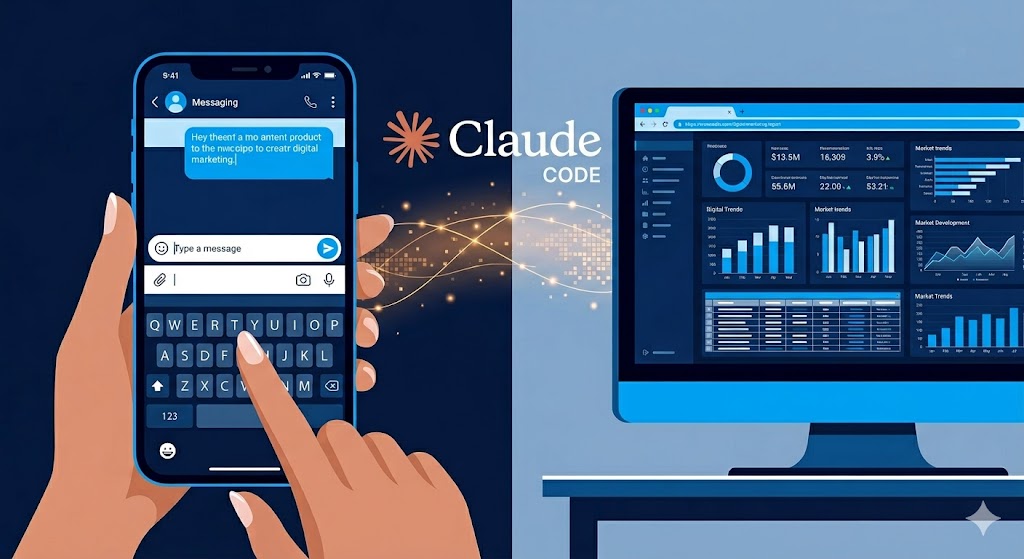
First: Anthropic shipped a research preview called Cowork — a feature that lets you assign tasks to Claude from your phone and have it complete the work on your desktop, autonomously, while you’re in a meeting or away from your desk. Not drafts. Not summaries. Actual execution: pulling files, querying data sources, controlling desktop applications, scheduling recurring tasks.
Second: A community-built tool called Claude Code Dispatch surfaced that enables remote control of a running Claude Code session via Telegram. You can monitor a multi-hour automation workflow from your phone, send mid-task instructions, and get notified when it finishes.
Both point at the same transition: Claude shifting from something you sit in front of to something that works while you don’t. If you’re running campaigns, managing client accounts, or doing any kind of recurring marketing operations work, the implications are immediate and practical.
This post covers what each feature does, how they compare, which one you need, and how to set up your system so that short mobile instructions trigger complete workflows.
What Is Claude Cowork? (The Clear Definition)
Claude Cowork is an Anthropic research preview feature, available in Claude Desktop and the Claude mobile app, that creates a persistent cross-device thread between your phone and desktop. When you send Claude a task from your mobile app, it determines the task type — development work routes to Claude Code, knowledge work runs in Cowork — and executes it on your desktop computer using your existing file access, connected services, and installed apps. Results are delivered back to the same conversation thread.
The defining characteristic is persistence. Unlike standard Claude sessions, which start fresh each time, Cowork maintains a single continuous thread with full context across devices and across sessions. You can start a task on your phone during a commute, follow up from your laptop two hours later, and Claude has the complete context of both.
Core capabilities (as of the March 2026 research preview):
- Computer use: Claude can directly control desktop applications — opening Excel, navigating dashboards, exporting data, completing multi-step tasks that require clicking through a UI.
- File and service access: Claude reads local files, pulls cloud documents, and accesses connected services (Google Drive, Slack, email, Notion) through your existing connector setup.
- Recurring task scheduling: You can schedule tasks — daily email digests, weekly metric pulls, automated Friday reports — that Claude runs on schedule without prompting.
- Contextual memory: Claude learns your work patterns, preferred formats, and client-specific requirements over time, reducing the overhead of re-explaining context with each task.
Requirements: Pro or Max subscription · Latest Claude Desktop app (macOS or Windows, must be actively running) · Updated Claude mobile app · Internet connection on both devices.
What Is Claude Code Dispatch? (The Clear Definition)
Claude Code Dispatch is a community-built relay system — not an official Anthropic product — that connects a locally running Claude Code session to a messaging app like Telegram. It allows you to monitor in-progress Claude Code tasks from your phone, send instructions mid-execution, and receive completion notifications without being at your computer.
The system has four components: Claude Code running in your terminal, a lightweight Node.js or Python dispatch server managing the subprocess, the Telegram Bot API routing messages, and your phone as the interface. Messages flow from Telegram → dispatch server → Claude Code, with responses returning through the same channel.
The primary use case is supervision of long-running autonomous work. If you’ve launched a monitoring loop or a multi-hour content audit, Dispatch lets you stay connected to the work without staying at your desk.
Important security requirements: Whitelist your specific Telegram user ID, protect your bot token, scope the Claude Code working directory to the project folder (not root), and use polling rather than webhooks to avoid exposing a public endpoint.
Cowork vs. Claude Code Dispatch: Which One Do You Need?
These tools solve related but distinct problems. Here’s how to think about which applies to your situation:
| Claude Cowork | Claude Code Dispatch | |
|---|---|---|
| Made by | Anthropic (official) | Community (unofficial) |
| Runs via | Claude Desktop + mobile app | Claude Code + Telegram bot |
| Technical level | Low — no terminal required | Medium — requires server setup |
| Best for | Starting new tasks remotely | Monitoring in-progress tasks |
| Task types | Reports, files, scheduling, email, data pulls | Long-running automation, audits, migrations |
| Subscription | Pro or Max required | Any Claude plan (self-hosted) |
| Requires desktop on? | Yes | Yes |
| Official support | Yes (research preview) | No |
Most marketers will start with Cowork. If you’re already running multi-hour Claude Code automation workflows and need remote visibility into them, add Dispatch on top.
Five Marketing Workflows This Unlocks — With Real Examples
Here’s what remote task assignment looks like in practice, with the actual mobile messages that trigger each workflow.
1. Client Meeting → Immediate Follow-Through
You’re in a client call and they ask for a competitive analysis by end of day. Instead of making a note and doing it yourself when you get back, you open your phone and type:
“Pull Ahrefs competitor data for Acme, compare their top 10 traffic pages to ours, write a one-page summary with three recommendations. Save to Notion under Acme / Reports.”
Claude starts on your desktop. By the time the meeting ends, the draft is in Notion. This works because your CLAUDE.md file already has Acme’s Ahrefs project ID, the Notion database path, and the report format — so a 25-word instruction triggers a complete workflow.
2. Morning Queue Before You Sit Down
On your commute, before opening your laptop:
“Pull GSC data for all three clients for last week, flag anything that dropped more than 20% in clicks, draft the Monday morning status update for each.”
You arrive at your desk and review finished output instead of starting from zero. Combined with the automated reporting setup, this eliminates 45–60 minutes of morning prep work that currently happens manually.
3. Recurring Report Automation
Schedule Claude once:
“Every Friday at 4pm: pull performance data from GSC and Ahrefs for all clients, format into the weekly report template, drop each into the correct Notion client folder.”
You review Monday morning. The report prep hour disappears from your calendar permanently. This is the same workflow covered in detail in the automated client reporting guide, now triggerable from your phone with a single setup message.
4. Real-Time Campaign Monitoring With Remote Intervention
Using Claude Code Dispatch alongside a /loop monitoring command, Claude watches your campaigns continuously. When it flags a CTR drop or budget pacing issue, you get a Telegram message. You reply from your phone:
“Pause the awareness campaign. Increase budget on the retargeting campaign by 20%. Log the change.”
Claude Code executes the instruction. The intervention takes 30 seconds instead of requiring you to open a laptop and navigate to the ads dashboard.
5. After-Hours Indexing and Penalty Monitoring
Algorithm updates and indexing issues don’t observe business hours. With an overnight scheduled task:
“Every morning at 7am: check GSC for any pages newly flagged as not indexed, check for any ranking drops greater than 5 positions overnight, compile a one-paragraph summary.”
You open your phone with coffee and see a green “no issues” or a specific flag that requires attention. Catching a problem at 7am beats discovering it at 3pm when you finally open your laptop.
How to Enable Cowork: Step-by-Step
- Update Claude Desktop to the latest version on macOS or Windows. The Cowork feature requires the most recent build.
- Update the Claude mobile app on iOS or Android.
- Confirm your subscription is Pro or Max. Cowork is not available on the free tier.
- Look for the Cowork option in Claude Desktop settings or in the mobile app’s task assignment interface. It’s a research preview, so it may require opting in.
- Audit your connectors before enabling. Go to Settings → Connections and review every service Claude has access to. Remove anything you don’t actively use. Limit folder access to working directories, not root-level access.
- Test with one low-stakes task before automating anything important. A good first test: “Pull my GSC data for last week and summarize the top 5 pages by clicks.” Verify the output, then build from there.
- Set up your CLAUDE.md with client names, project IDs, and output destinations. Without this, every mobile message needs to include full context. With it, short instructions work reliably.
Why This Only Works If You’ve Already Built the Foundation
Remote task assignment is a multiplier. It multiplies the system you’ve already built — it doesn’t replace the need to build one.
The three things that make short mobile instructions work are:
1. A detailed CLAUDE.md file with client-specific context: GSC property IDs, Ahrefs project names, Notion database paths, preferred output formats, and report templates. Without this, “run the weekly report for Acme” is ambiguous. With it, that five-word instruction resolves to a 12-step automated workflow.
2. Pre-built custom skills for your most repeated tasks. Skills are the reusable workflows that Cowork invokes. A /weekly-report skill that knows exactly what to pull, how to format it, and where to send it turns a mobile message into a one-word command.
3. MCP connections to your data sources. Cowork uses whatever Claude already has access to. If you’ve connected Google Search Console, Ahrefs, and Notion via MCP, Claude can pull live data in every task. If you haven’t, every task requires you to paste in data manually — which defeats the purpose of remote execution.
If you’re starting from scratch on these, the introduction to Claude Code for marketers is the right place to begin before trying to use Cowork. Remote task assignment is the fifth floor. You need the first four.
The Honest Limitations
A few things worth being direct about before you go all-in.
Computer use is still imperfect. Claude can control desktop apps, but visual navigation through non-standard interfaces — a custom CMS, a bespoke client dashboard — will occasionally get stuck or take inefficient paths. Stick to structured, predictable workflows: data pulls, file manipulation, API-connected services. Avoid open-ended UI navigation until the feature matures.
Your desktop must stay on. Cowork executes locally. If your machine sleeps, the task stops. For always-on monitoring that survives laptop closure, use scheduled cloud-based triggers instead — the /schedule command is built for this. Cowork is best for tasks that run during business hours when your machine is already on.
Cowork is a research preview. Anthropic will change the feature set as they collect feedback. Don’t build mission-critical workflows around specific behavior until it’s stable. Test carefully and document what works.
Dispatch is unsupported community software. If you set it up, you own the maintenance. There’s no bug tracker, no support channel, no guaranteed updates. It works well when it works, but don’t use it for anything that can’t tolerate an occasional failure.
The Shift That’s Actually Happening
I’ve been writing about Claude Code for marketers since it became clear this was a different category of tool — not a better ChatGPT, but an autonomous agent capable of doing actual work inside your systems. Cowork is the first time that capability becomes mobile-accessible without requiring terminal fluency.
The competitive implication is worth sitting with. The marketers who will have a structural advantage in the next 18 months aren’t the ones who use AI more when they’re at their desks. They’re the ones who have more work happening when they’re not. The meeting attendee who walks out of a two-hour strategy session and already has Claude running on the follow-up deliverables. The agency owner who wakes up to finished reports instead of a task list. The SEO practitioner who gets a phone notification when a ranking drops instead of finding out three days later during a client call.
Remote task assignment is early and imperfect. But the direction is clear, and the window to build the system that makes it work is right now — before the capability is commoditized and everyone has it.
Get The AI Marketing Stack
The CLAUDE.md templates, custom skills, MCP setup guides, and reporting workflows that make remote task assignment actually work — all of it is in The AI Marketing Stack. If you want to build the foundation now instead of improvising it later, it’s the fastest way to get there.
Frequently Asked Questions
What is Claude Cowork?
Claude Cowork is an Anthropic research preview feature that lets you assign tasks to Claude from your phone and have them completed on your desktop computer. It maintains a persistent, cross-device conversation thread so you can start work on mobile and follow up on desktop with full context preserved. Claude uses your existing file access, installed apps, and connected services to execute tasks — it can control desktop applications directly via computer use, pull data from connected services, and run tasks on a recurring schedule. Cowork requires a Pro or Max subscription and the latest Claude Desktop app (macOS or Windows) actively running.
How is Claude Cowork different from Claude Code?
Claude Cowork is the general-purpose remote task agent built into Claude Desktop and the mobile app — no terminal required, designed for knowledge work like report generation, file organization, email triage, and data pulls. Claude Code is a terminal-based coding agent designed for developers working directly with codebases, running scripts, and executing API integrations. In practice, Cowork routes development tasks to Claude Code automatically when it detects them. Many marketers use both: Cowork for mobile-initiated tasks, Claude Code for systematic automation workflows configured in advance. If you’re new to this stack, start with the introduction to Claude Code for performance marketers.
Does Claude Cowork work if my computer is asleep or off?
No. Cowork executes tasks on your local desktop machine, which must be running and awake with the Claude Desktop app open. It is not cloud-based task execution — your computer is doing the actual work. If your machine sleeps, in-progress tasks stop. For tasks that need to run overnight or survive session closure, use the /schedule command to create persistent background triggers that run independently of whether your desktop is active.
What is Claude Code Dispatch and how does it work?
Claude Code Dispatch is a community-built tool (not an official Anthropic product) that creates a relay between a locally running Claude Code session and Telegram. It lets you send instructions to Claude Code from your phone and receive progress updates and completion notifications. The architecture is: Claude Code running in your terminal + a local Node.js or Python dispatch server + Telegram Bot API + your phone. It’s designed for monitoring long-running tasks — multi-hour audits, batch processing, content migrations — where you need visibility and the ability to redirect without being at your desk. Setup requires configuring a Telegram bot and running a local server, and you own the maintenance.
Is it safe to give Claude remote access to my files and desktop?
With proper setup, yes — but the setup matters. Before enabling Cowork, audit your connector permissions: remove services you no longer actively use, limit folder access to project working directories rather than root-level, and verify that no client credentials or sensitive data are stored in locations Claude can browse. Anthropic is explicit that Cowork chains a mobile agent controlling a desktop agent controlling a real machine. Treat it like any remote access tool: minimum necessary permissions, clearly scoped access, and a clear understanding of what’s accessible before you turn it on. For Claude Code Dispatch, whitelist your specific Telegram user ID and protect your bot token.
How do I make short mobile messages trigger complete workflows?
The key is building the context layer in advance, not at the time of the task. When you send “run the weekly report for Acme” from your phone, Claude needs to already know: which GSC property Acme uses, which Ahrefs project, what the report template looks like, and where to save the output. That context lives in your CLAUDE.md file. Pre-built custom skills encode the specific steps of each workflow. And MCP connections to GSC, Ahrefs, and Notion give Claude live data access. Without all three, mobile task assignment requires long, context-heavy messages. With all three, three words triggers a complete automated workflow.
What marketing tasks can I automate with Claude Cowork right now?
Tasks that work well in the current research preview: weekly performance report generation from GSC and Ahrefs data, Notion-based report formatting and filing, daily email digest summarization, recurring keyword rank checks, competitive analysis drafts from live Ahrefs data, and post-meeting follow-up document creation. Tasks to avoid until computer use matures: navigation through custom or non-standard web interfaces, workflows that require logging into third-party services that aren’t already connected via MCP, and anything involving complex visual UI interaction. The most reliable workflows are those with structured data inputs, defined output formats, and clear file destinations — all specified in advance in your CLAUDE.md.
Do I need Claude Code Dispatch if I’m already using Cowork?
Not necessarily. Cowork handles most remote task assignment use cases for marketers without requiring any technical setup. You’d add Dispatch specifically if you’re running long Claude Code automation sessions — a multi-hour content audit, a bulk data migration, a batch reporting run across many clients — and you need the ability to monitor progress and send instructions mid-execution from your phone. If your typical Claude Code tasks complete in under 30 minutes or while you’re at your desk, Cowork alone covers your needs. Dispatch is for the gap between “task started” and “task finished” on workflows that run for hours.
How does Claude Cowork interact with the AI visibility problem?
This is worth thinking about. As Cowork becomes more widely used, Claude will increasingly be the entity executing marketing research tasks autonomously — pulling competitor data, drafting content briefs, summarizing industry information. The sources and sites that Claude surfaces in those research workflows will directly influence what recommendations and outputs land in front of marketers. If you haven’t already thought about how your brand appears to AI systems doing autonomous research, the guide to LLM visibility covers exactly this problem — and it matters more, not less, as agentic workflows scale.